As part of my Computer Systems Technician program at St. Lawrence College, I was able to do one of the most important things you can do in IT — a full installation of an operating system from the ground up. Before taking this course, I had never installed a full OS myself. I’d been running Windows for years, but I really didn’t know how it ended up getting installed or even how Linux worked.
All of that changed pretty quickly once we got into our lab work. I was able to install Windows 10 and Ubuntu Linux, and both experiences did something different in teaching me something new about computers, systems, and even me.
Installing Windows 10: Familiar, but Eye-Opening
While I had always done work on Windows, I never had done a clean install before. In school, I was instructed on how to create a bootable USB and do it step by step. Here is what I did:
Step-by-Step:
Downloaded the ISO from the official Microsoft website.
create a bootable USB from the ISO file.
Booted into BIOS/UEFI by hitting F2 on startup and booted priority to USB.
Utilized the Windows Setup Wizard, chose “Custom Install,” and formatted the drive to start again.
After install, I set up all needed drivers and activated Windows with a license key.
What surprised me was how powerful I was. Formatting drives, partitioning, system file install — it was all new territory, but what struck me was how much happened in the background of the OS.
Installing Linux: My First Foray into Open Source
Linux was something that I had only ever heard about, but had never used myself until I took this course. I used Ubuntu, which is one of the most user-friendly distributions for a newcomer.
This is how I did it:
Step-by-Step:
Downloaded the Ubuntu ISO from the official website.
Flashed the ISO onto a USB using balenaEtcher.
Booted off of the USB stick by going into the boot menu through F12.
Selected “Install Ubuntu” from the menu.
Clicked on “Erase disk and install Ubuntu” for a clean install.
Configured a user profile and password, and let Ubuntu partition automatically.
Following the install, I ran:
bash
Copy
Edit
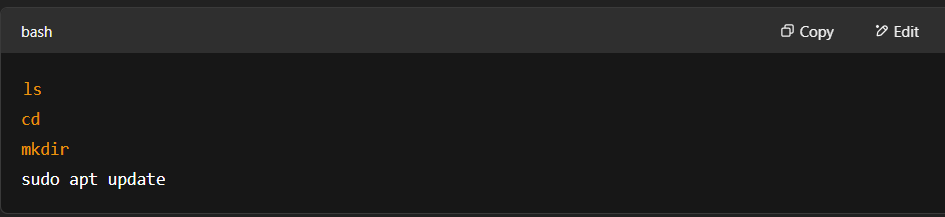
sudo apt update && sudo apt upgrade -y
to get everything up to date.
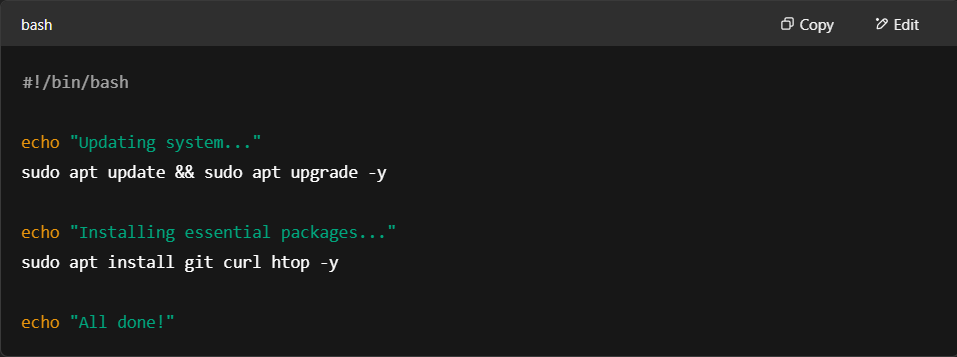
In comparison to Windows, Ubuntu gave me an entirely different experience. No glitzy interface guiding me step by step — I was stuck with the terminal and had to figure it out myself. It was tough initially, but incredibly rewarding once I got the rhythm of it.
???? What I Learned from Both Installations
Carrying out these installations did more than show me technical processes. I started to learn the difference between user-level maintenance and system-level administration. Some of the key things that I learned are as follows:
With Windows, I learned about formatting drives, repairing systems, and installing drivers.
With Linux, I learned about the terminal, file systems, and permissions, and learned about the capabilities of open-source tools.
Above all, I learned how to troubleshoot. If it didn’t work (and sometimes it didn’t), I needed to figure out what went wrong and how to fix it.
One of the biggest mistakes I made was accidentally deleting a partition when installing Linux. I freaked out for a moment, then restarted — and that helped me understand the process even more.
Forward Motion
Since doing these installations, I’ve gained a lot more confidence in working with operating systems. I’ve even started experimenting with more advanced Linux topics on my own — things like setting up local web servers with Apache, creating Bash scripts for automation, and scheduling tasks jobs.
I’m also planning to go for a Linux+ certification in the future to build on the foundation I’ve gained here at SLC.
Final Thoughts
It wasn’t about learning the process to install Windows and Linux for the first time — it was about learning how systems work on a fundamental level. It allowed me to be more confident in experimenting, exploring, and finding real-world solutions by myself.
For anybody who’s ever been interested in computer systems or IT, I would highly recommend learning to install an operating system. It’s likely the most effective way of gaining a sound technical grounding, and it’s something I’m really grateful to have learned as part of my St. Lawrence College education.